---
title: "Connecting BambooHR to Opensense"
slug: "authorizing-bamboohr-field-mapping"
description: "Authorize BambooHR with an API key so Opensense can map BambooHR fields to user attributes, then sync your BambooHR directory from Manage > Users."
updated: 2025-10-24T14:55:20.000Z
canonical: "https://help.opensense.com/docs/authorizing-bamboohr-field-mapping"
---
> ## Documentation Index
> Fetch the complete documentation index at: https://help.opensense.com/llms.txt
> Use this file to discover all available pages before exploring further.
# Connecting BambooHR to Opensense
## Overview
To map fields between BambooHR and Opensense, you first authorize access, by generating a BambooHR API key and adding it to Opensense. Once it's authorized, Opensense can pull user data for email signature management.
After the API key is added securely, you can map specific BambooHR fields (for example, job title, department, and location) to Opensense user attributes, for consistent, dynamic signature personalization across your organization.
## Authorizing BambooHR
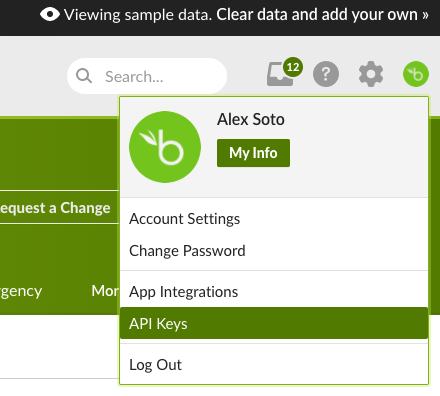
1. In BambooHR, open your account menu (top right), and select **API Keys**.
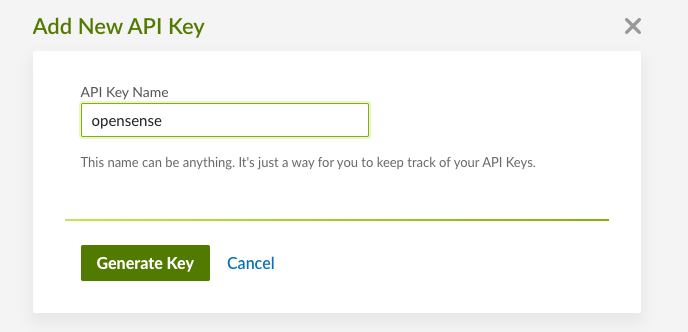
 2. Add a new key. Name it "Opensense", and select **Generate Key**.
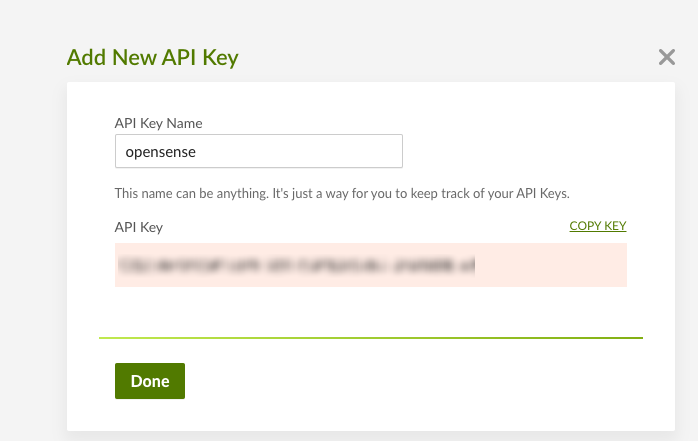
 3. When the key is generated, select **COPY KEY**, and send the key to your Opensense rep, along with your BambooHR URL.
 ## Starting the sync
Once the key is added to Opensense, you can sync your directory directly from the **Users** section in the Opensense portal.
1. Sign in to the Opensense portal.
2. In the left navigation, select **Manage**, and then select **Users**.
3. Select **Actions** in the upper-right corner, and choose **Run Sync**.
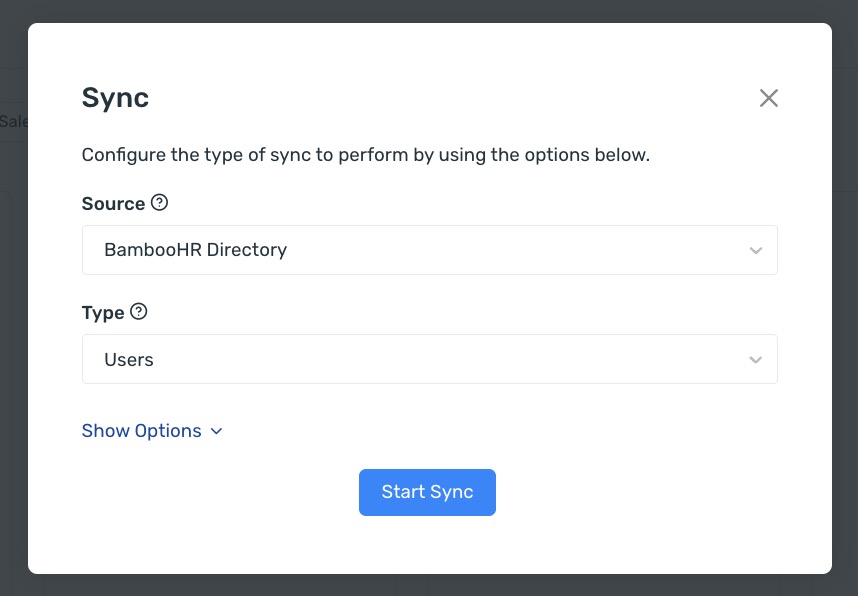
4. Select **BambooHR** as the source, and then select **Start Sync**.
## Starting the sync
Once the key is added to Opensense, you can sync your directory directly from the **Users** section in the Opensense portal.
1. Sign in to the Opensense portal.
2. In the left navigation, select **Manage**, and then select **Users**.
3. Select **Actions** in the upper-right corner, and choose **Run Sync**.
4. Select **BambooHR** as the source, and then select **Start Sync**.
 ## What's next
- [Running a directory sync manually](https://help.opensense.com/docs/forced-sync-from-a-directory)
- [Field data priority](https://help.opensense.com/docs/field-data-priority)
For further help, contact Opensense Support at [help@opensense.com](mailto:help@opensense.com).
## What's next
- [Running a directory sync manually](https://help.opensense.com/docs/forced-sync-from-a-directory)
- [Field data priority](https://help.opensense.com/docs/field-data-priority)
For further help, contact Opensense Support at [help@opensense.com](mailto:help@opensense.com).