---
title: "Editing one user in Users & Compliance (classic UI)"
slug: "individual-edits-in-users-compliance"
description: "Classic UI: change one user's signature data in Users & Compliance, and lock the field and break the sync, so Auto-Sync doesn't overwrite your change."
updated: 2024-01-14T01:05:38.000Z
canonical: "https://help.opensense.com/docs/individual-edits-in-users-compliance"
---
> ## Documentation Index
> Fetch the complete documentation index at: https://help.opensense.com/llms.txt
> Use this file to discover all available pages before exploring further.
# Editing one user in Users & Compliance (classic UI)
:::note[Classic UI]
This article covers the classic Opensense UI. In the New UI, user profiles are under **Manage** > **Users**.
:::
## Overview
Use **Users & Compliance** to change one user's signature data by hand, for example to fix a mobile number or a title. To choose between this and the other ways to edit user data, see [Choosing how to edit user data](https://help.opensense.com/docs/editing-user-data-guide).
:::caution[Lock the field and break the sync]
If Auto-Sync is turned on, and you **don't break the sync and lock the field**, Auto-Sync overrides any data you changed manually.
:::
## Editing a user
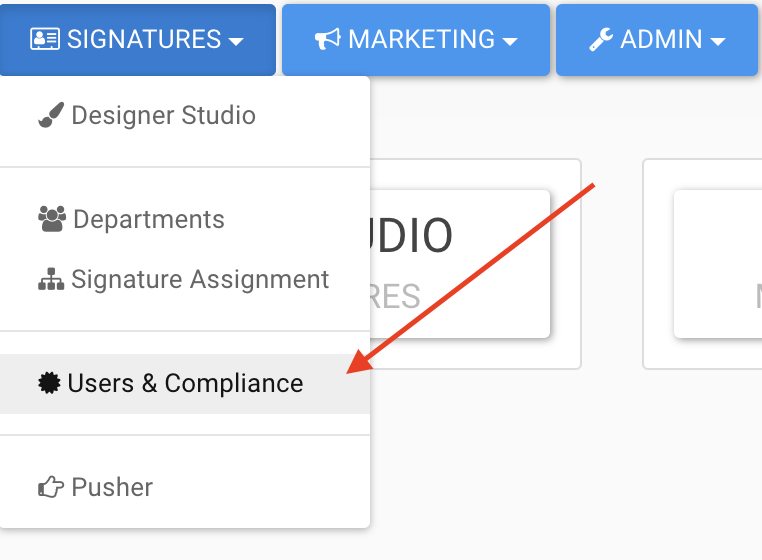
1. In the **Signatures** menu, select **Users & Compliance**.
 2. On the left, use the **Search** box to find the user by their email address.
3. Select **Edit User**.
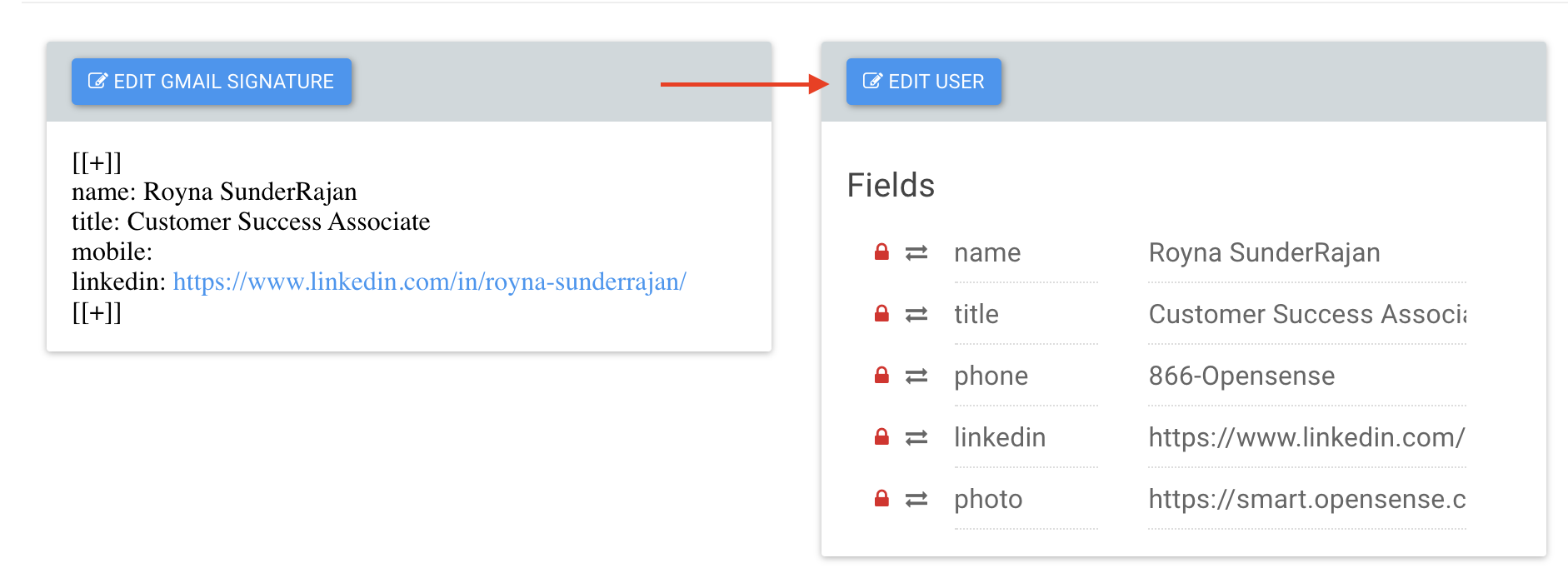
4. Make your change.
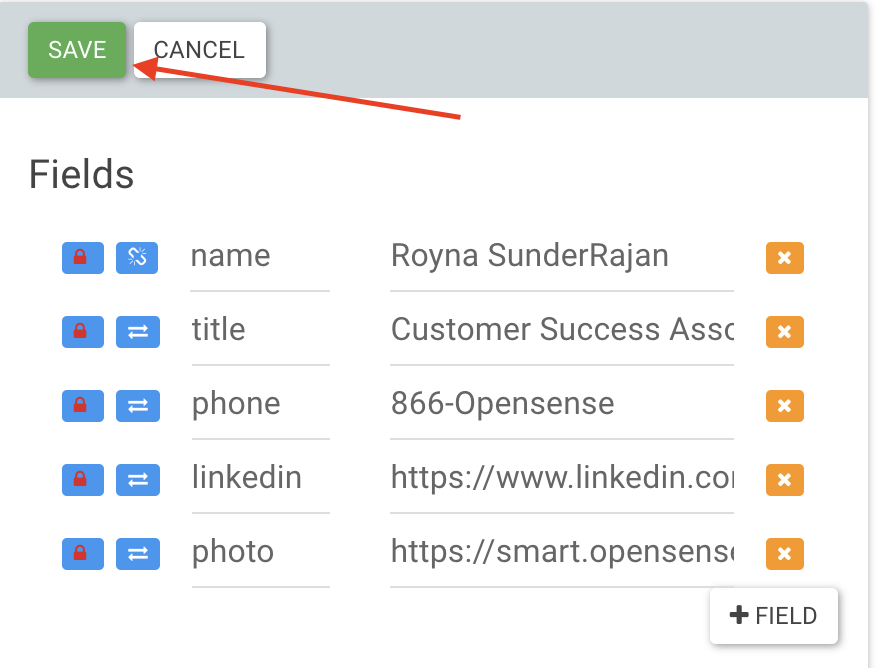
5. Lock the field, and break the sync, with the two buttons next to it.
2. On the left, use the **Search** box to find the user by their email address.
3. Select **Edit User**.

4. Make your change.
5. Lock the field, and break the sync, with the two buttons next to it.
 6. Select **Save**.
 ## What's next
- [Editing users in bulk in Users & Compliance (classic UI)](https://help.opensense.com/docs/bulk-edits-in-users-compliance): edit many users at once.
- [Locking and unlocking Compliance fields (classic UI)](https://help.opensense.com/docs/locking-unlocking-compliance-fields)
## What's next
- [Editing users in bulk in Users & Compliance (classic UI)](https://help.opensense.com/docs/bulk-edits-in-users-compliance): edit many users at once.
- [Locking and unlocking Compliance fields (classic UI)](https://help.opensense.com/docs/locking-unlocking-compliance-fields)