---
title: "Sending more than one signature"
slug: "sending-more-than-one-signature"
description: "Save several Opensense signature blocks with different field data, or call a different signature template from the block, to send more than one signature."
updated: 2025-05-06T00:34:30.000Z
canonical: "https://help.opensense.com/docs/sending-more-than-one-signature"
---
> ## Documentation Index
> Fetch the complete documentation index at: https://help.opensense.com/llms.txt
> Use this file to discover all available pages before exploring further.
# Sending more than one signature
## Overview
The [signature block](https://help.opensense.com/docs/what-is-the-opensense-signature-block) is made up of fields that fill in a signature template. This gives you flexibility: changing the field data changes the transformed signature.
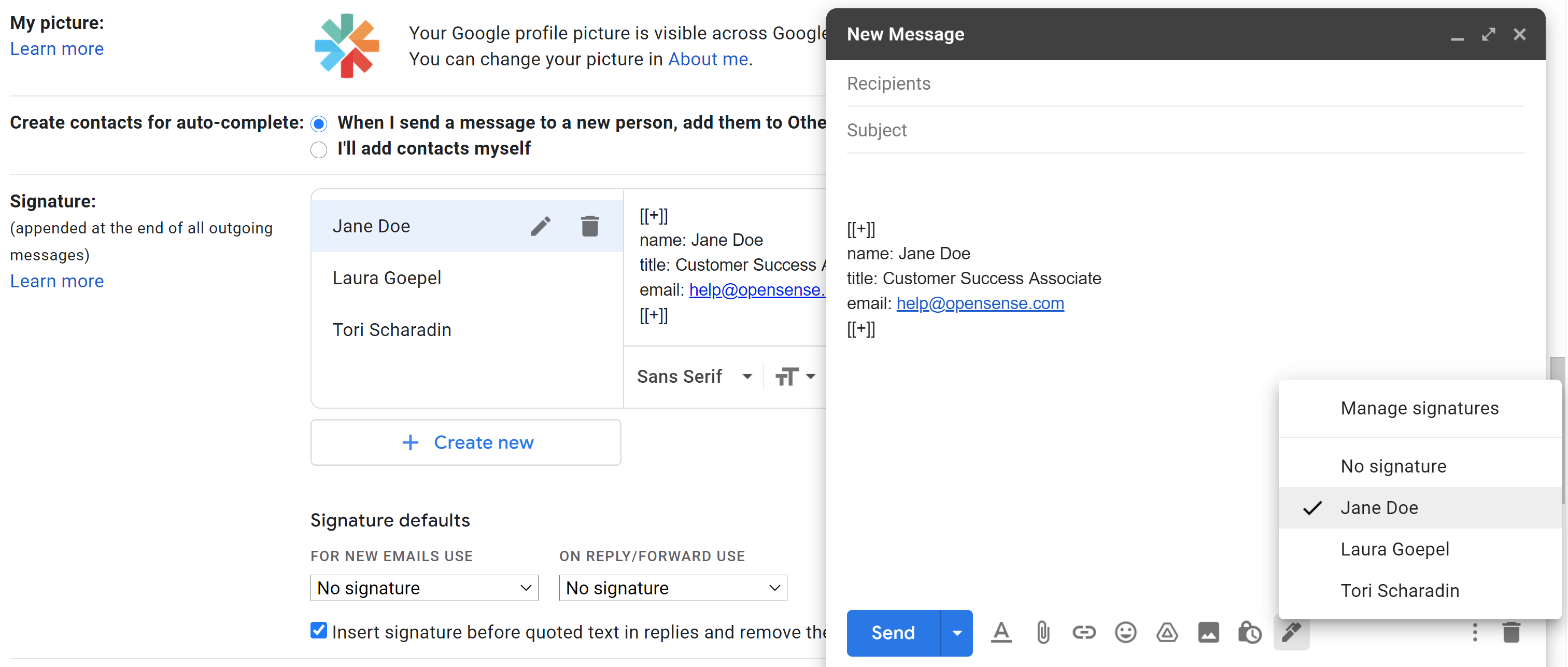
## Saving multiple signature blocks with different field data
Saving more than one signature block, each with different field data, lets you:
- Send relevant information to recipients.
- Let more than one user [share an inbox](https://help.opensense.com/docs/shared-inboxes).
:::note[Signature not updating?]
If your signature doesn't update when you try this, the fields you're editing are likely [locked](https://help.opensense.com/docs/locking-unlocking-compliance-fields) by your company's signature administrator. Ask them to unlock your fields to turn on this option.
:::
## Changing the template from the signature block
Opensense offers extensive customization options. This feature lets users apply a signature design template while they compose an email. It's an advanced feature that can be valuable for certain users.
To call a signature template, add its name to the token at the bottom of the signature block:
- Gmail
[[+signaturename]]- Outlook
[[#signaturename]]
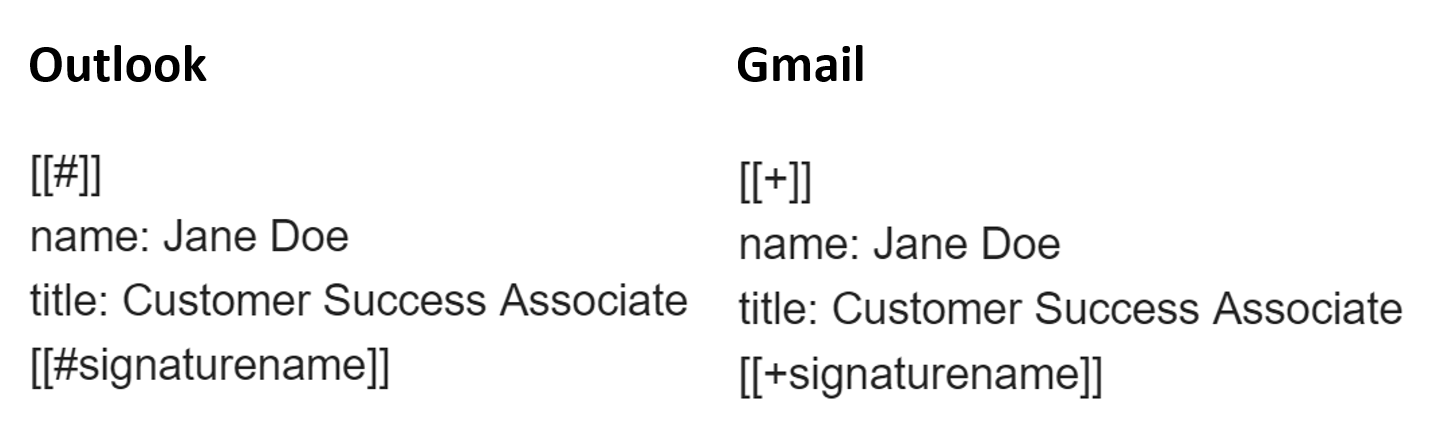
### Example: one user sending multiple brand signatures
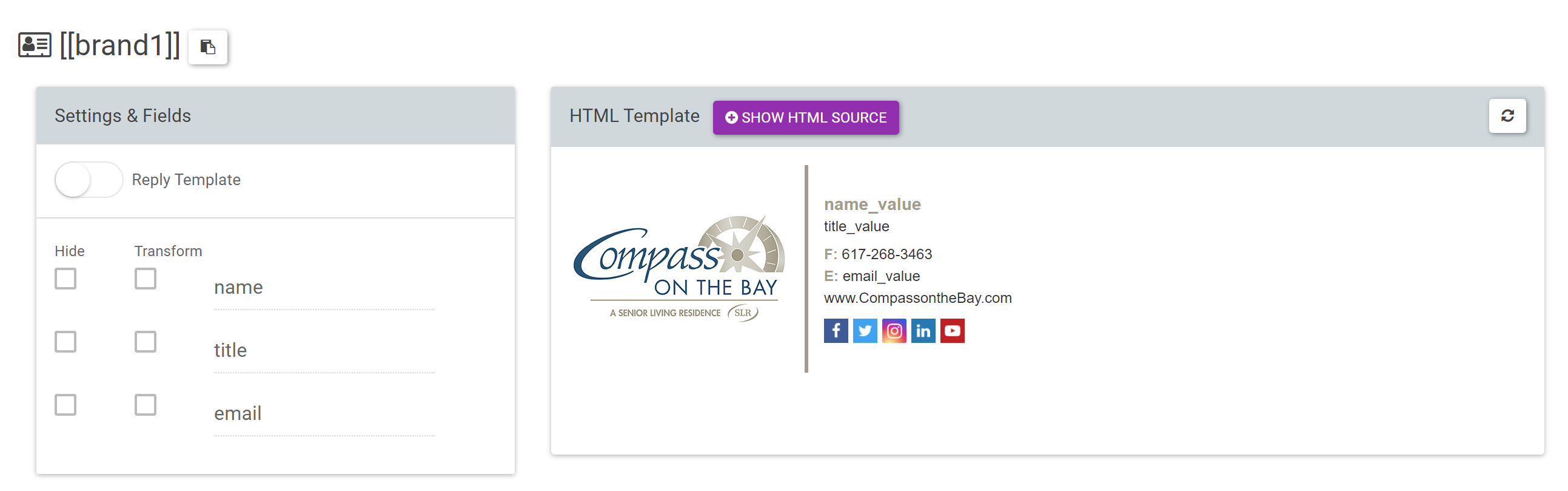
1. [Set up the signature templates](https://help.opensense.com/docs/designer-studio-new-liquid-templates) for the brands in Designer Studio.
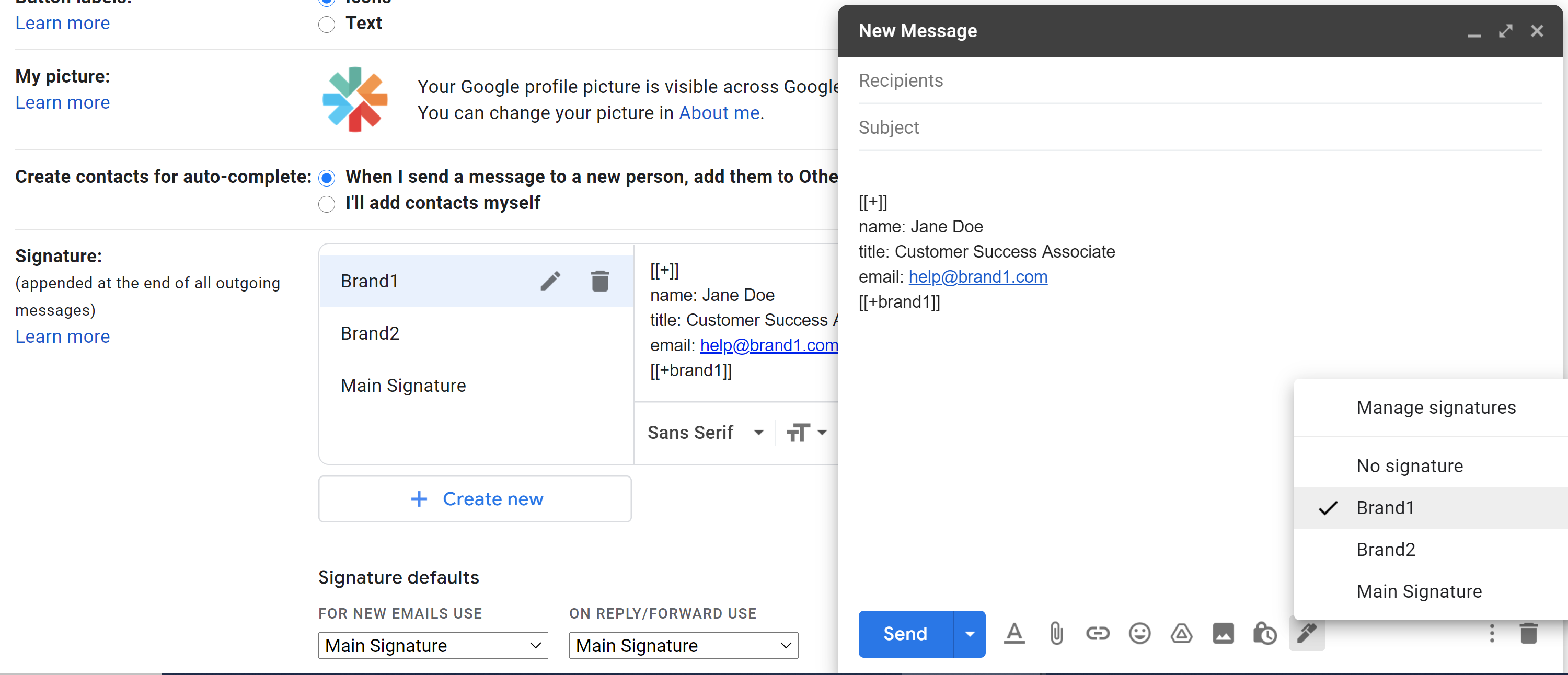
2. Save the custom signature template in the user's signature settings. It's now an option in the compose window.
:::tip[Stamping customer?]
Use this feature to [remove your stamped signature from certain emails](https://help.opensense.com/docs/removing-the-stamped-signature-from-emails).
:::
## What's next
- [Setting up signatures for shared inboxes](https://help.opensense.com/docs/shared-inboxes)
- [Editing your signature block data](https://help.opensense.com/docs/editing-your-signature-block-data)
For further help, contact Opensense Support at [help@opensense.com](mailto:help@opensense.com).