

Showing signature elements based on a field value (Liquid templates)
Overview
Section titled “Overview”This article uses the current Opensense template syntax, Liquid (as of 2022). If you’re used to the older format, see HTML and field types (legacy templates).
You can create conditions that show a specific signature element, based on the value in an employee directory field.
Example
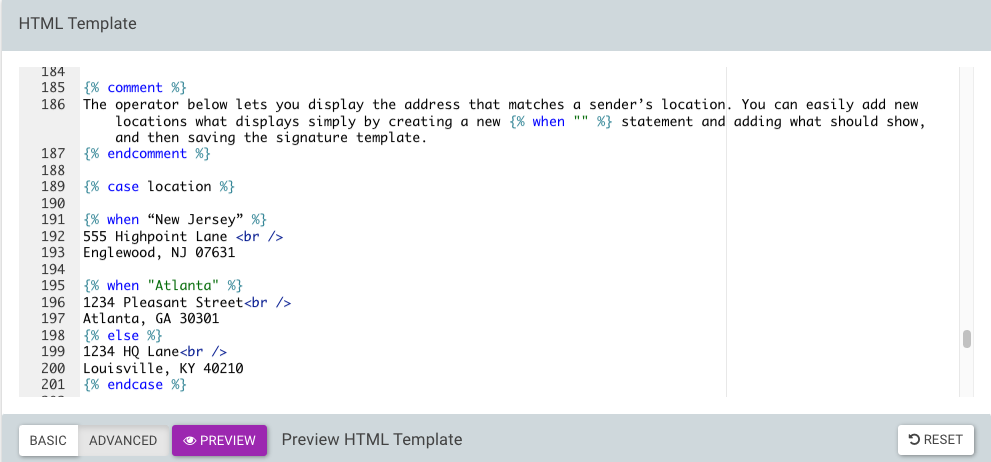
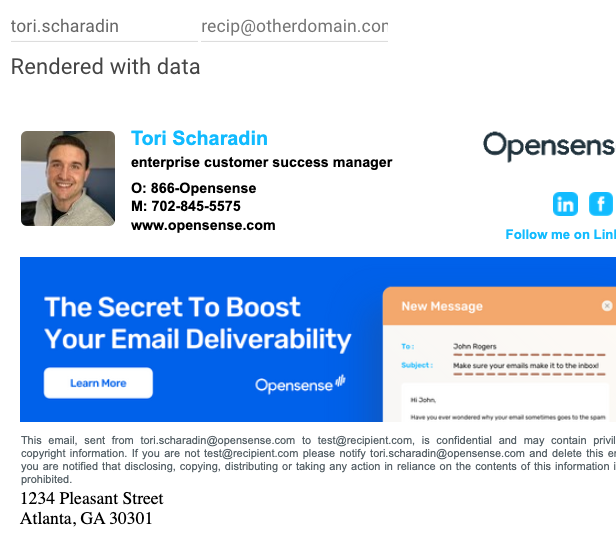
Section titled “Example”This example shows a different office address for each location value. Each {% when %} lists the values that match, and {% else %} sets the address for any other value.
{% case location %}
{% when "New Jersey", "NJ" %}555 Highpoint Lane<br />Englewood, NJ 07631
{% when "Atlanta", "ATL" %}1234 Pleasant Street<br />Atlanta, GA 30301
{% else %}1234 HQ Lane<br />Louisville, KY 40210{% endcase %}
What’s next
Section titled “What’s next”For further help, contact Opensense Support at help@opensense.com.