---
title: "Targeting with CRM or marketing automation platforms"
slug: "targeting-with-crm-or-marketing-automation-platforms"
description: "Target banners from your CRM or marketing automation platform: an automation sets the sgenads or sgentags contact field, and Opensense matches it."
updated: 2025-05-08T23:21:23.000Z
canonical: "https://help.opensense.com/docs/targeting-with-crm-or-marketing-automation-platforms"
---
> ## Documentation Index
> Fetch the complete documentation index at: https://help.opensense.com/llms.txt
> Use this file to discover all available pages before exploring further.
# Targeting with CRM or marketing automation platforms
## Overview
Target banners with data from your CRM or marketing automation platform. An automation in your platform writes a value to a field on the contact record. When your team emails that contact, Opensense shows the matching banner. Use this method to target by persona, lifecycle stage, list, industry, or other account-based marketing (ABM) criteria.
This method suits marketing teams that have direct access to their CRM or marketing automation platform and can set up automations in it.
:::note[Before you start]
Connect Opensense to your CRM or marketing automation platform using Zapier. See [Setting up Opensense triggers in Zapier](https://help.opensense.com/docs/zapier-integration), [Connecting HubSpot to Opensense](https://help.opensense.com/docs/hubspot-integration), [Setting up the Pardot connector in Opensense (classic UI)](https://help.opensense.com/docs/setting-up-pardot-opensense-side), [Salesforce integration requirements](https://help.opensense.com/docs/salesforce-integration-requirements), or the [full list of integrations](https://www.opensense.com/integrations) on opensense.com.
:::
## The sgenads and sgentags fields
Opensense banners read two fields on the contact record. Spelling and formatting must match exactly.
sgenads- Assigns one specific banner to a contact. Set it to the name of the banner in Opensense. Use it when one banner fits, for example for a targeted event.
sgentags- Assigns a group of banners to a contact. Set it to a tag, and every campaign with that tag can show. To add more than one tag, separate the tags with commas. Use it when a series of banners fits the contact.
:::caution[sgenads takes priority over sgentags]
If a contact has values in both fields, Opensense uses `sgenads`. When you set `sgentags` for a contact, make sure that the contact's `sgenads` field is empty.
:::
## Setting up CRM targeting
Each platform has its own automation tool:
- Marketo
- Smart Campaigns
- Pardot
- Automation Rules
- Eloqua
- Automation
- Salesforce
- Process Builder
1. In your CRM or marketing automation platform, create a list of the contacts to target, for example by persona, lifecycle stage, event leads, industry, or ABM criteria.
2. Create an automation that sets `sgenads` or `sgentags` for that list. Use the automation tool for your platform from the list above. You can also use bulk update tools in your platform.
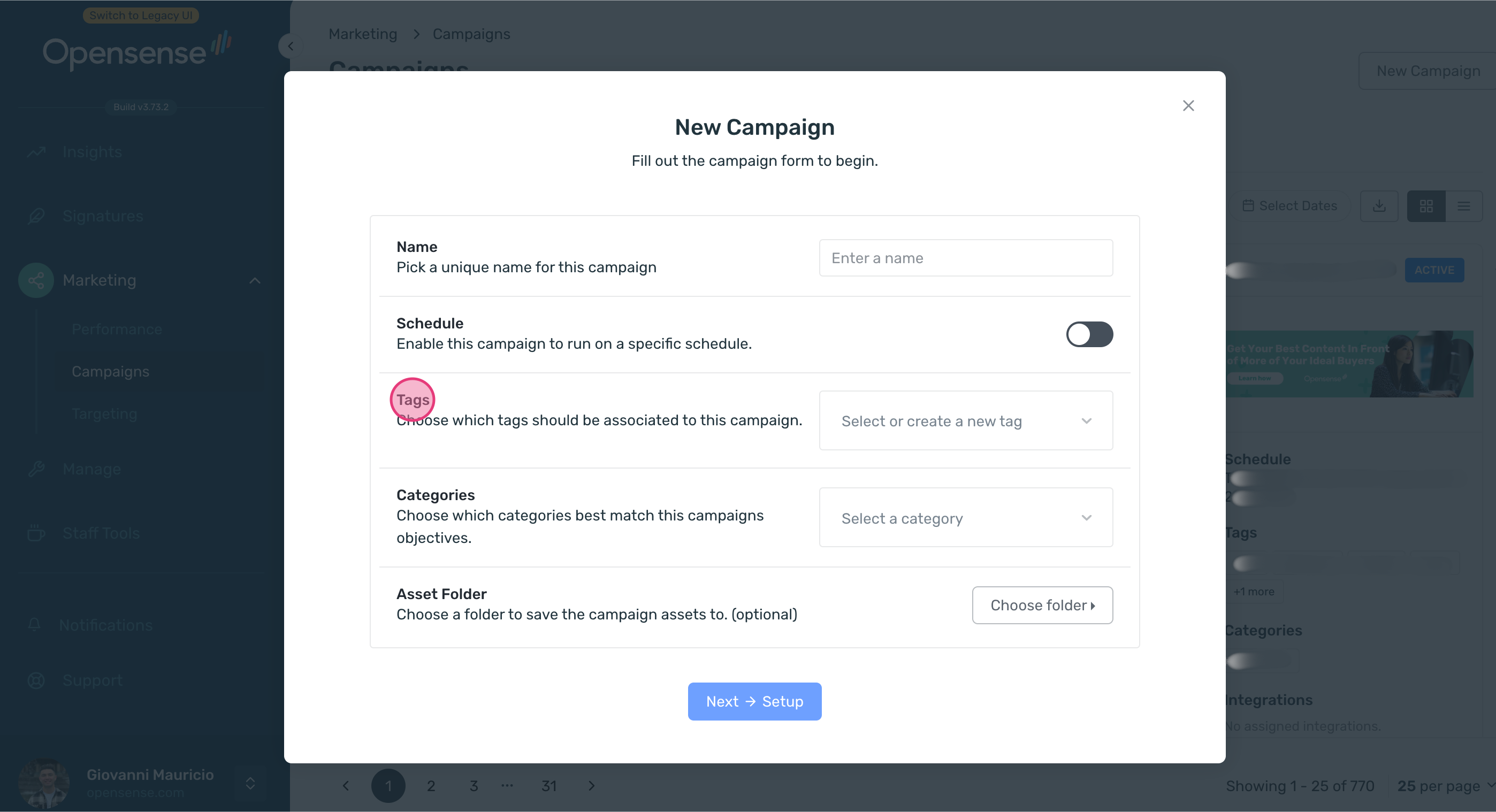
3. In Opensense, [create the banner campaign](https://help.opensense.com/docs/creating-banner-campaign). For `sgentags`, add the same tag in **Tags**. For `sgenads`, make sure that the value matches the banner's name.
:::tip[Contacts with several tags]
If a contact has several tags that match campaigns, the banners for all of them show in rotation. To show only one banner, remove the other tags from the contact. To control which banners show, use an automation in your platform.
:::
## What's next
- [Assigning Opensense tags with a HubSpot workflow](https://help.opensense.com/docs/create-a-hubspot-workflow): a step-by-step HubSpot example.
- [Targeting banner campaigns](https://help.opensense.com/docs/introduction-to-targeting-and-segmentation): the other targeting methods.
- [Creating a banner campaign](https://help.opensense.com/docs/creating-banner-campaign): set the campaign's tags.