---
title: "Choosing how to edit user data"
slug: "editing-user-data-guide"
description: "Pick the right way to fix a user's signature data, by Auto-Sync setting: edit the directory and sync, edit in Opensense and break the sync, or use MySig."
updated: 2024-01-16T20:55:44.000Z
canonical: "https://help.opensense.com/docs/editing-user-data-guide"
---
> ## Documentation Index
> Fetch the complete documentation index at: https://help.opensense.com/llms.txt
> Use this file to discover all available pages before exploring further.
# Choosing how to edit user data
## Overview
"My mobile number is not correct." "Can you change my title?" There are a few ways to edit the data in a user's signature, and the right one depends on your account setup. The best method is the **original way** your signatures were set up.
This guide uses the classic UI's **Users & Compliance** page. In the New UI, user profiles are under **Manage** > **Users**.
## Choosing a method
Find your setup to see the best way to edit the data.
- No data in Users & Compliance
## What always works
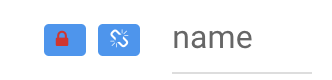
If you're unsure how to edit the data in a signature, this always works: edit the field in **Users & Compliance**, lock it, and break the sync. See [Editing one user in Users & Compliance (classic UI)](https://help.opensense.com/docs/individual-edits-in-users-compliance) for the steps.
 :::caution[Once the sync is broken]
We don't recommend this method first, because once the sync is broken, the field **can only be edited manually from then on**. Best practice is to keep one consistent data source in the long term.
:::
## What's next
- [Locking and unlocking Compliance fields (classic UI)](https://help.opensense.com/docs/locking-unlocking-compliance-fields)
- [Field data priority](https://help.opensense.com/docs/field-data-priority): which value wins when a field has data from more than one source.
:::caution[Once the sync is broken]
We don't recommend this method first, because once the sync is broken, the field **can only be edited manually from then on**. Best practice is to keep one consistent data source in the long term.
:::
## What's next
- [Locking and unlocking Compliance fields (classic UI)](https://help.opensense.com/docs/locking-unlocking-compliance-fields)
- [Field data priority](https://help.opensense.com/docs/field-data-priority): which value wins when a field has data from more than one source.