

Conditional fields (Liquid templates)
Overview
Section titled “Overview”This article uses the current Opensense template syntax, Liquid (as of 2022). If you’re used to the older format, see Conditional fields (legacy templates).
- You can make any field a conditional field.
- Make a field optional if some employees use it and some don’t. It’s removed automatically from the final email signature for employees who don’t use it.
- You can wrap IF statements around any signature element, to make it appear only if that field is used:
{% if field %} {{field}} {% endif %}.
A conditional field on its own line
Section titled “A conditional field on its own line”HTML code view. The row is wrapped in an if statement:
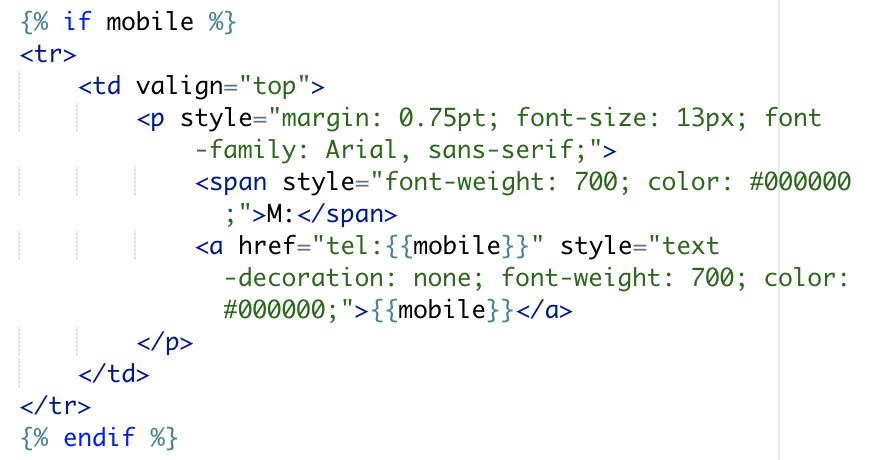
Recipient’s view. If either field is removed, the separator line is removed too.

Conditional fields that share a line
Section titled “Conditional fields that share a line”HTML code view. Each field has its own if block, and a nested condition shows the separator only when both fields have values:
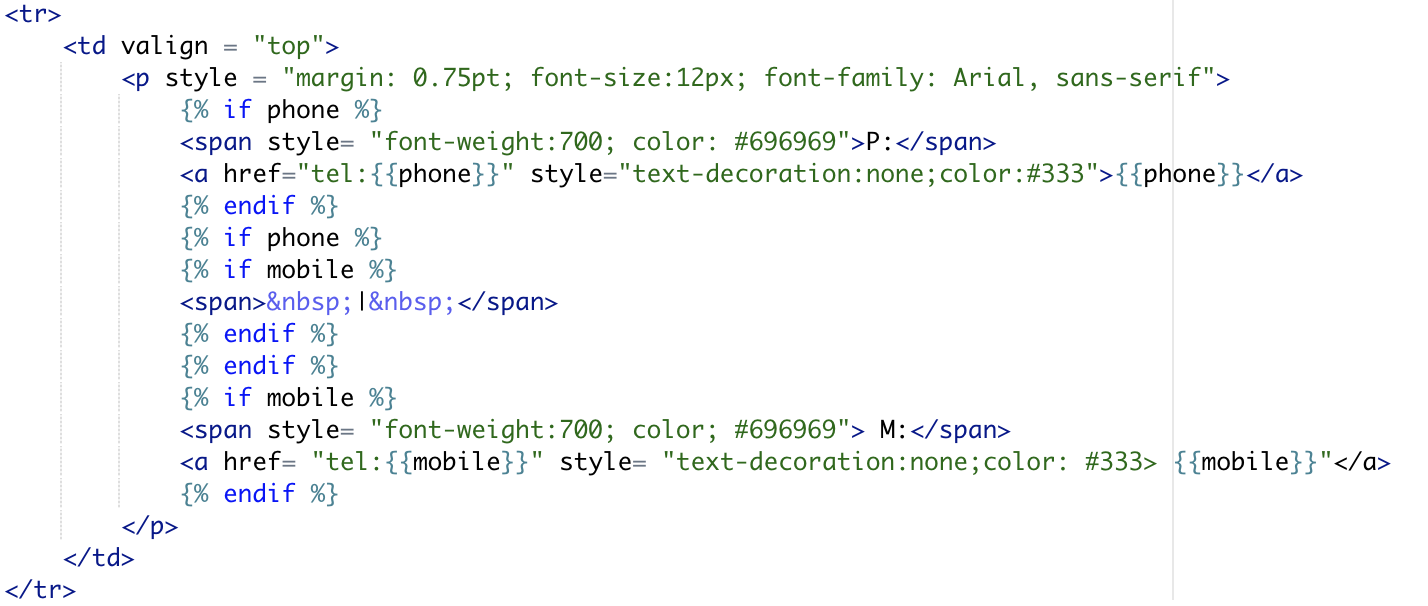
Signature preview with logic:

Recipient’s view. If either field is removed, the separator line is removed too.

“Not if” logic
Section titled ““Not if” logic”Need “not if” logic? We have that too. Wrap your HTML with {% unless field %} Alternative Text {% endunless %} instead.
For example: {% unless phone %} 1-800-MAINLINE {% endunless %}
What’s next
Section titled “What’s next”For further help, contact Opensense Support at help@opensense.com.